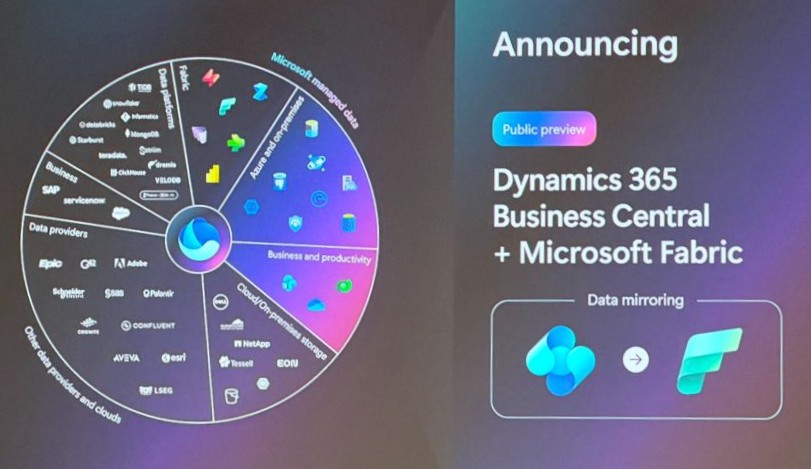
Every Business Central partner has heard this one: “How do we get our data out of Business Central for BI and reporting?” Until now the answers involved custom APIs, exports and a fair amount of plumbing. At FabCon Europe in Barcelona, Microsoft announced data mirroring for Dynamics 365 Business Central in Microsoft Fabric, which may give us a simpler, recommended answer.
Where Business Central analytics stands today
Business Central already ships with solid built-in analysis: financial reporting, Open in Excel, and analysis mode on lists and queries. You can also build Power BI reports on standard and custom APIs, create Power BI metrics scorecards and embed them in the Business Central client.
For most day-to-day needs, that’s enough. Microsoft’s own guidance says Fabric is worth considering for customers with more advanced data science or BI scenarios that need richer data engineering or data integration. Mirroring makes that step much easier.
Microsoft Fabric and OneLake in brief
Fabric is Microsoft’s end-to-end analytics platform. It covers data movement, data lakes, data engineering, data integration, data science, real-time analytics and business intelligence, with shared security, governance and compliance. The idea is that you no longer stitch together analytics services from several vendors.
The foundation is OneLake, a single logical data lake for the whole organization. Microsoft likens it to “OneDrive for data”. It comes with every Fabric tenant, with no infrastructure to manage. Data that lands in OneLake automatically benefits from governance features such as lineage, protection, certification and catalog integration.
Fabric stores tabular data in an open format, delta parquet. Every analytics engine in Fabric can read data written by the others, so your team can pick the tools it prefers without copying data around. That is why having Business Central data in OneLake is valuable: reporting, warehousing, data science and AI can all work from the same copy.
What mirroring does
Mirroring replicates Business Central tables, across companies, into Fabric. You can then build Power BI reports directly on the mirrored data and get warehouse and BI capabilities without writing a single API.
Setup has three steps:
- Create a mirroring database in Fabric.
- Point Business Central at it.
- Select the companies and tables to mirror.
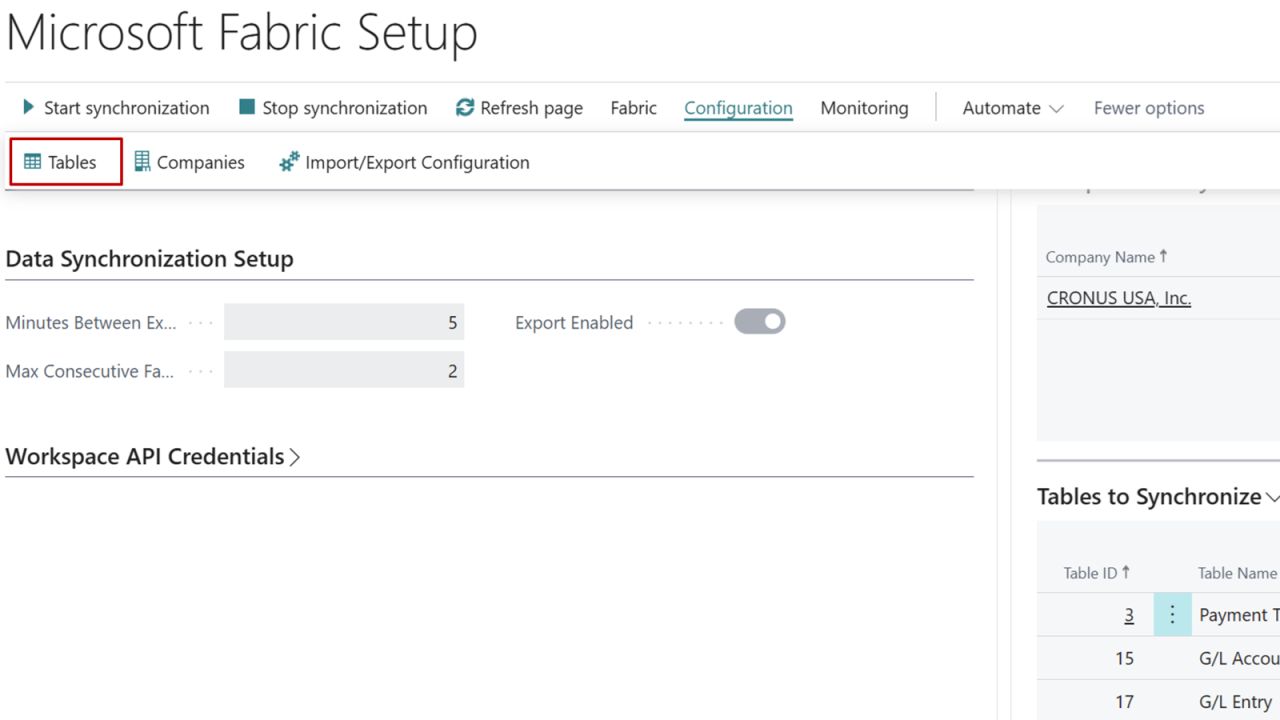
Business Central isn’t listed in Fabric’s standard mirroring source picker, so you start from the mirroring database and Business Central’s own setup page.
Main characteristics
- No API consumption. Mirroring uses an internal replication service instead of the Business Central APIs, so it doesn’t use your API limits and isn’t expected to hurt production database performance.
- All AL tables. Standard and extension tables stored in the SQL database are supported.
- Table and company choice, but not field choice. All fields are replicated, so treat the mirror as a live copy.
- Deletes are supported, and mirroring is configured per environment.
- Latency of a few minutes. It varies with data volatility, and the initial historical sync takes longer than later incremental ones.
- No known volume limits. No table, row or size limits have been identified so far.
- Automatic compute scaling on the Fabric side.
- Requirements. Business Central 2026 release wave 2 (version 29.1, possibly 29.0), available globally.
Pricing and capacity
- There is no extra licensing or consumption charge on the Business Central side. The cost is the Fabric capacity: an F SKU (commonly F2 or higher) or an existing P SKU.
- Alongside mirroring, Microsoft announced a new F0 SKU with on-demand billing, in public preview. It is pay-per-use with nothing upfront, which suits proofs of concept. As a preview, it’s better for experiments than production. Check the documentation for what it includes and how it is metered before making commitments to a customer.
- For a typical project, the recommendation is to start at F2. It is the smallest fixed-capacity F SKU, it’s easy to budget, and you can scale up as tables, volume or reporting load grow. It fits the common scenario of a few companies, a selected set of tables (G/L, customer, vendor and item ledger entries, sales and purchase documents) and Power BI on top.
Getting started
- Explore with a Fabric trial capacity or F0 on-demand.
- Pilot on F2 with a limited set of companies and tables.
- Right-size based on the capacity consumption you measure.
Start with Microsoft’s mirroring documentation. The Business Central introduction page is still a general Fabric overview. It doesn’t yet cover mirroring setup, and Business Central-specific articles are expected to be updated soon, so check back as they appear. Follow the Fabric release plan for what’s coming.
Final thoughts
Mirroring removes much of the plumbing that BI projects on Business Central have needed: hand-built APIs, API-limit worries and the risk of production slowdowns. Combined with OneLake’s open delta parquet storage, it gives you a solid base for reporting today and analytics and AI later. If you’re a partner or an in-house team, now is a good time to run a pilot and plan how existing reports could move onto Fabric.
I hope this will help and stay connected with me on LinkedIn and YouTube for more Business Central insights!