AI agents are becoming an important part of Microsoft Dynamics 365 Business Central. Instead of simply answering questions, an agent can understand a business objective, work with Business Central data, perform multiple steps, and ask a user for help when required.
For consultants, the important question is not initially “How do I write the AI?” but rather:
“What business process should the agent handle, and how does that process flow through Business Central?”
In this series, we will build a practical example: a Purchase Order Follow-up Agent.
The purpose of this agent is simple:
- Identify purchase orders that require follow-up.
- Check the expected receipt date and current status.
- Identify overdue or delayed orders.
- Prepare a follow-up communication for the vendor.
- Keep the user involved when a decision or approval is required.
This article focuses only on the architecture.
The goal is to understand what happens when an agent is triggered and how the different Business Central components work together.
Microsoft’s current Business Central agent architecture supports custom agents that can work with Business Central data and business logic, while agent tasks are executed asynchronously through the Business Central agent runtime.
- What is a Business Central Agent?
A traditional Business Central customization normally follows a predefined flow:
Trigger → AL Code → Business Logic → Result
For example:
Job Queue runs → Find overdue Purchase Orders → Create reminder → Send email
An AI agent works differently.
The agent receives a goal and determines the steps required to achieve that goal using the tools and information available to it.
For example:
Goal: Follow up with vendors for overdue Purchase Orders.
The agent may determine that it needs to:
- Find open Purchase Orders.
- Check expected receipt dates.
- Identify overdue orders.
- Review vendor information.
- Determine which orders need attention.
- Prepare a follow-up message.
- Ask the user for review where required.
- Send or record the communication.
This is where the difference between automation and agentic automation becomes important.
A workflow generally follows the path that the developer explicitly designed.
An agent has some flexibility to determine how to achieve the defined goal, but only within the boundaries, permissions, tools, and instructions that we provide.
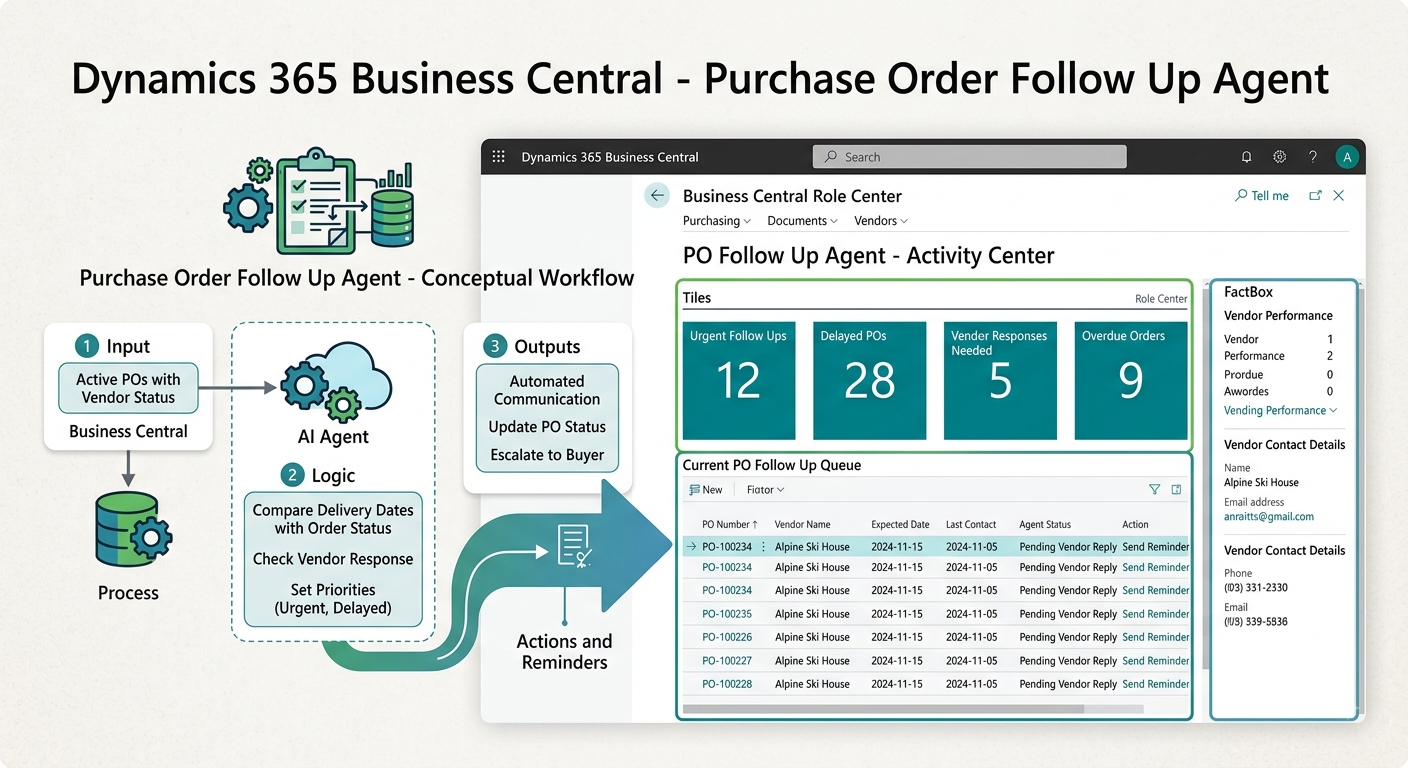
- Our Example: Purchase Order Follow-up Agent
Let’s start with a very simple business problem:
A purchasing team may have hundreds of open Purchase Orders.
Every day, someone needs to answer questions such as:
- Which Purchase Orders are overdue?
- Which vendors need to be contacted?
- What was the expected receipt date?
- Which orders have been delayed for several days?
- Has the vendor already been contacted?
- Should we send another reminder?
- Which orders need human attention?
Doing this manually takes time.
Our Purchase Order Follow-up Agent will help with this process.
Business objective
Identify Purchase Orders requiring vendor follow-up and assist the purchasing team in taking the appropriate action.
We deliberately keep the scope small.
The agent is not responsible for the complete procurement process.
It does not:
- Create Purchase Orders.
- Change prices.
- Change vendors.
- Post Purchase Orders.
- Cancel Purchase Orders automatically.
Its responsibility is specifically Purchase Order follow-up.
This is an important principle when designing agents:
One agent should have a clear business responsibility and a clearly defined boundary.
- High-Level Architecture
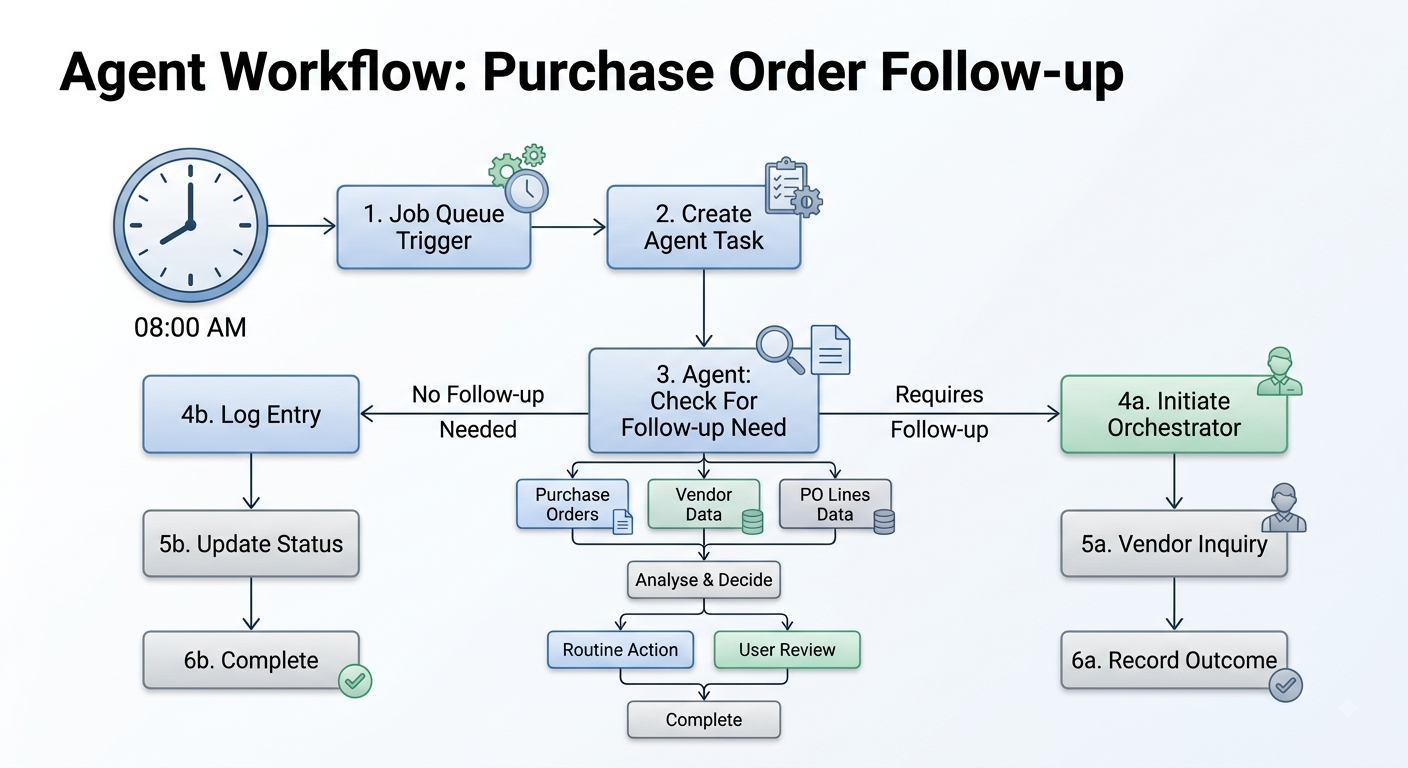
- Step 1 – Something Triggers the Agent
An agent does not simply sit in Business Central continuously looking for work.
It needs a task.
For our Purchase Order Follow-up Agent, the task could be created:
- Every morning using a Job Queue.
- When a Purchase Order becomes overdue.
- When a relevant business event occurs.
- From AL code.
- Through another process that identifies work for the agent.
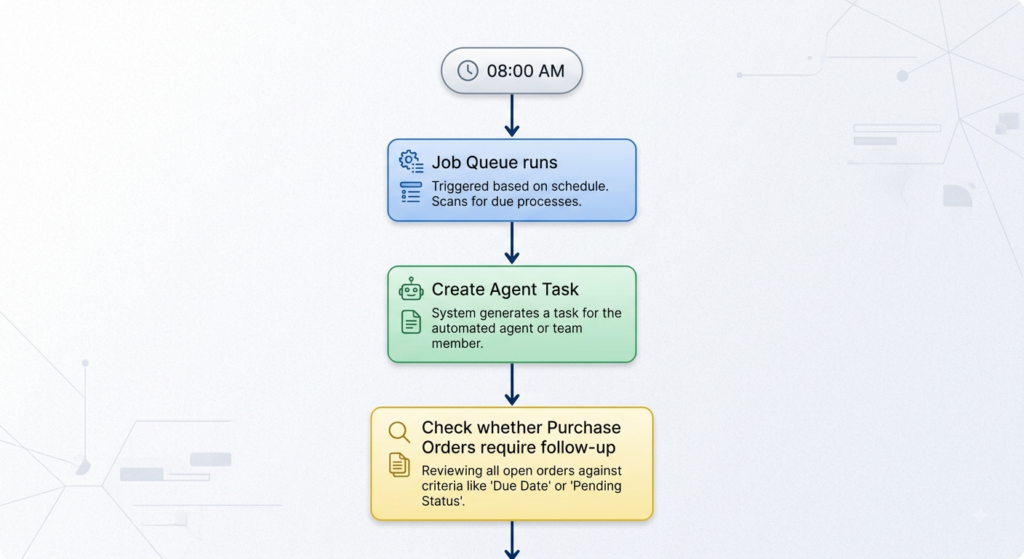
The important concept here is:
The trigger creates work for the agent; the agent performs the work.
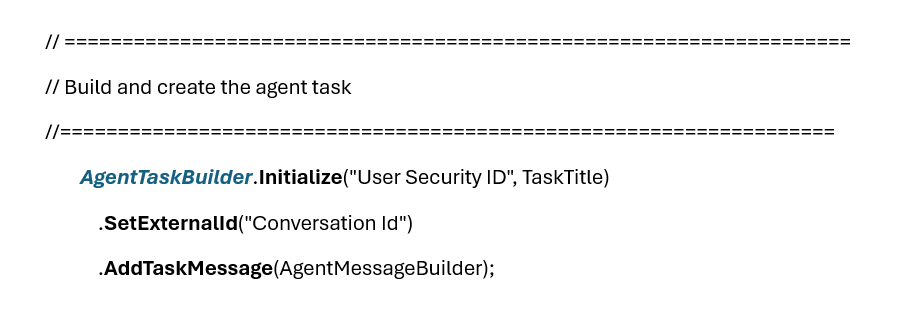
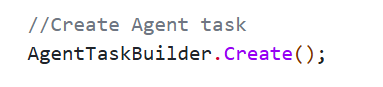
Business Central provides the Agent Task Builder for creating agent tasks programmatically. Once a task is created, the agent runtime can pick it up for execution.
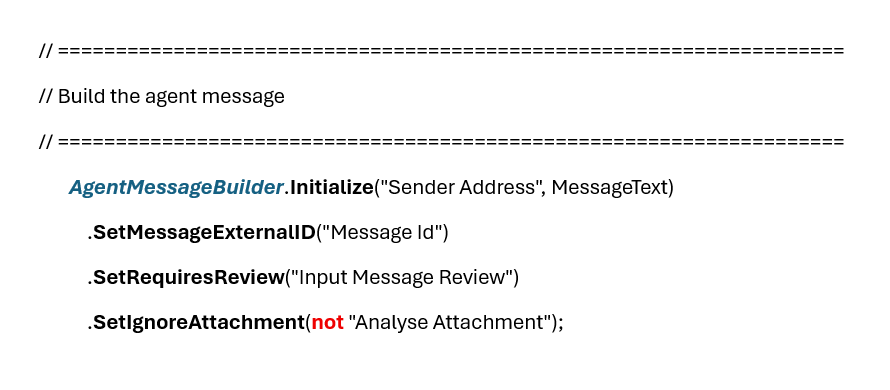
- Step 2 – Agent Task
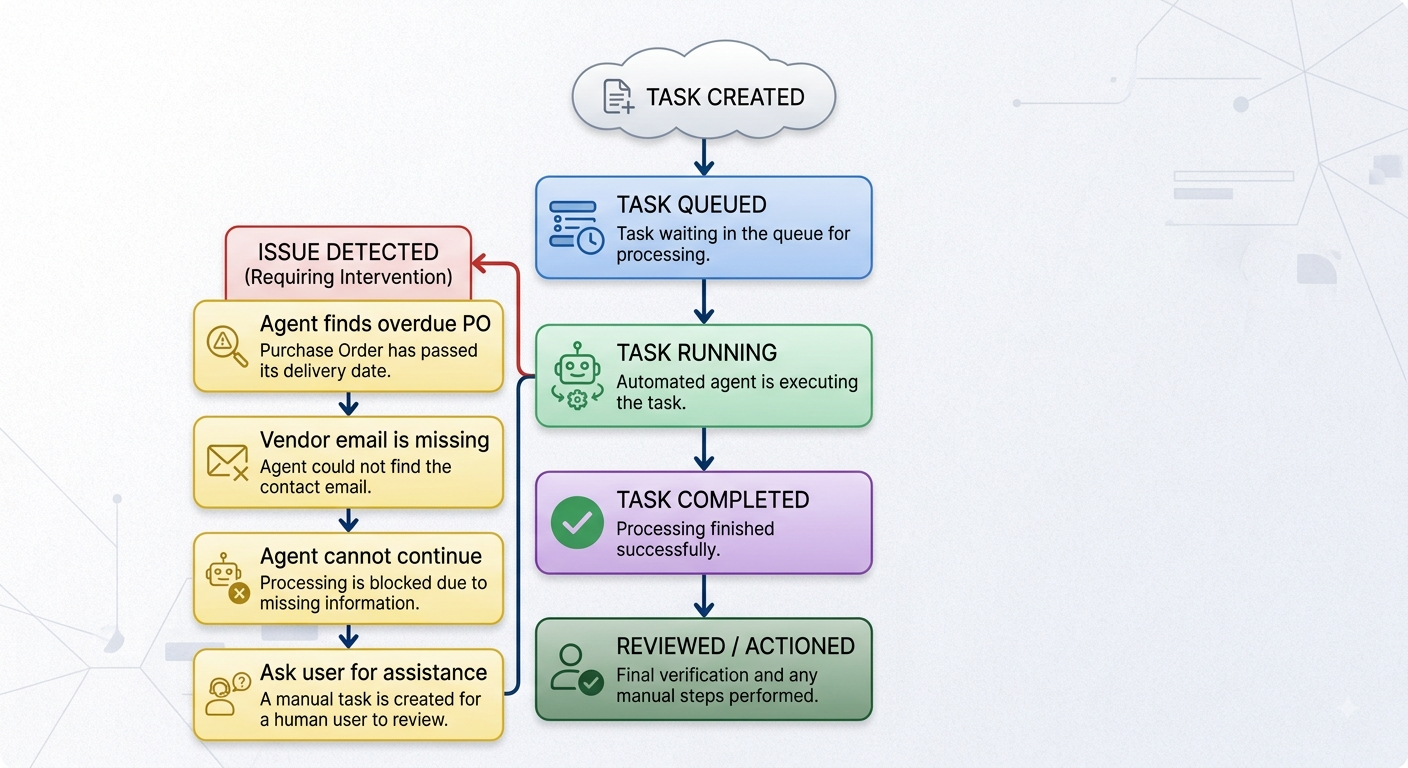
The Agent Task represents the work that needs to be performed.
Think of it as a work item assigned to an employee.
For example:
Task: Review overdue Purchase Orders and prepare vendor follow-up.
The task has a lifecycle.
- Step 3 – The Agent Orchestrator
Once the task is created, the agent orchestrator manages its execution.
This is the component that coordinates the agent’s work.
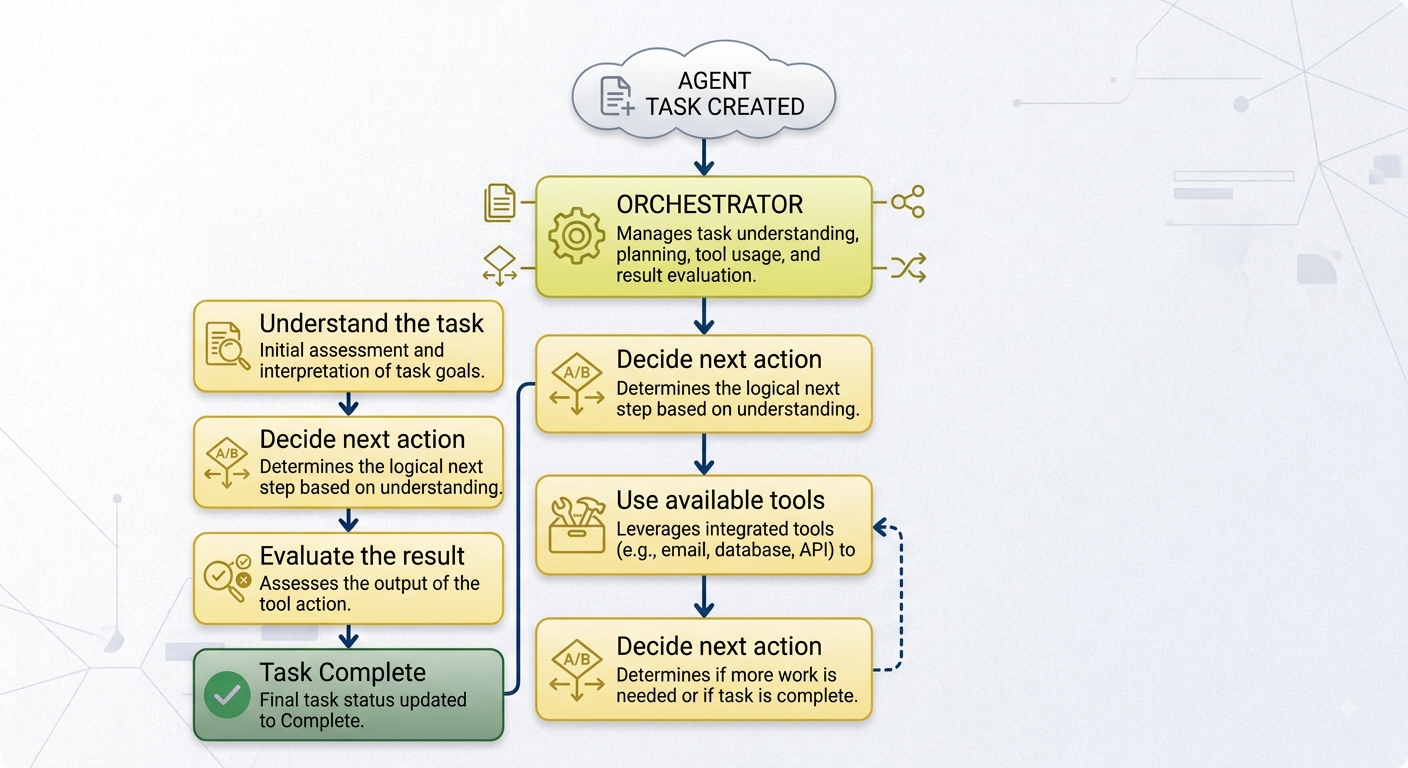
The orchestrator allows the agent task to execute asynchronously and in a separate session. Multiple tasks can also execute independently.
For a consultant, the easiest way to think about it is:
The orchestrator is the traffic controller between the agent’s objective and the actions it needs to perform.
The next blog will show how to write Agent Instructions
These instructions tell the agent:
- What its responsibility is.
- What it should look for.
- What actions it can perform.
- What it should not do.
- When it should ask for help.
- When it should stop.
- How it should communicate the result.
Until then, stay connected.
One thought on “Building a Custom AI Agent in Business Central – Part 1: Understanding the Architecture”