The public preview for Dynamics 365 Business Central 2026 release wave 2 (BC29) is available. Learn more
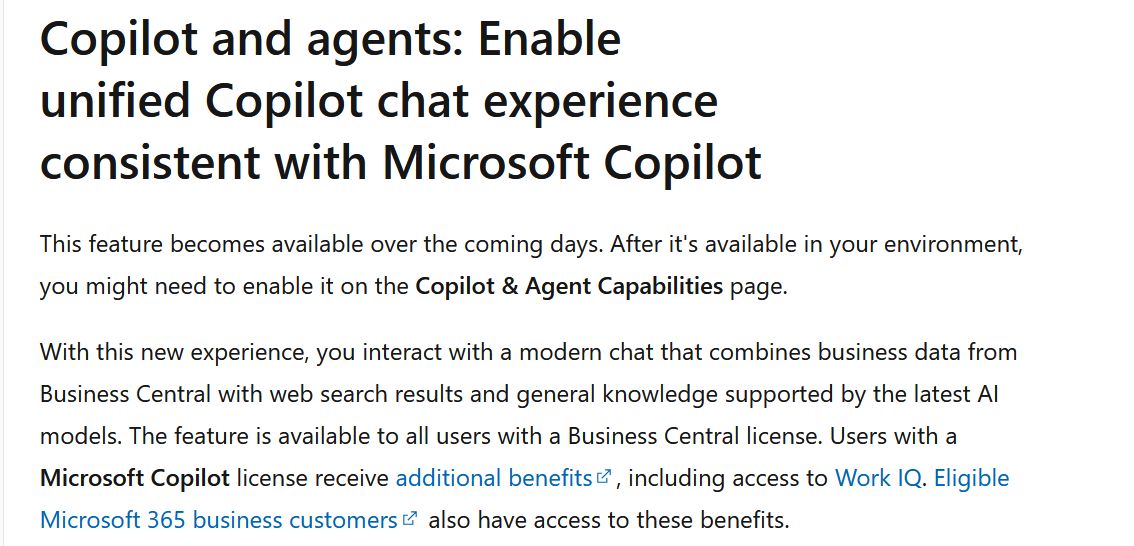
Microsoft is bringing the Business Central Copilot experience closer to Microsoft Copilot.
As part of Business Central 2026 release wave 2 (BC29), Microsoft is introducing “Enable unified Copilot chat experience consistent with Microsoft Copilot.”
The goal? A more modern and familiar AI chat experience that brings Business Central data, web search, and general knowledge together in one place.
Enable unified Copilot chat experience consistent with Microsoft Copilot
What’s New in Copilot Chat?
With the new experience, Business Central users can interact with Copilot using natural language while combining different sources of information.
You can use Copilot to:
- 💬 Ask questions using natural language
- 📊 Work with Business Central business data
- 🌐 Get information using web search
- 🧠 Use the latest AI models
- 📎 Work with files and images
- 🤖 Explore AI agents and Agent Mode
- 🖥️ Use a modern, expanded chat experience
In simple terms, Copilot is becoming more than a chatbot inside Business Central.
Who Can Use It?
The feature is available to users with a Business Central license.
Once the feature becomes available in your environment, you may need to enable it from:
Business Central → Copilot & Agent Capabilities
Users who also have a Microsoft Copilot license can get additional capabilities, including access to Work IQ.
This creates an important distinction between the standard Business Central Copilot experience and the additional capabilities available through Microsoft Copilot licensing.
To learn about pricing, visit https://www.microsoft.com/microsoft-365-copilot/pricing
How it works in Business Central 2026 Wave 2 (BC 29)
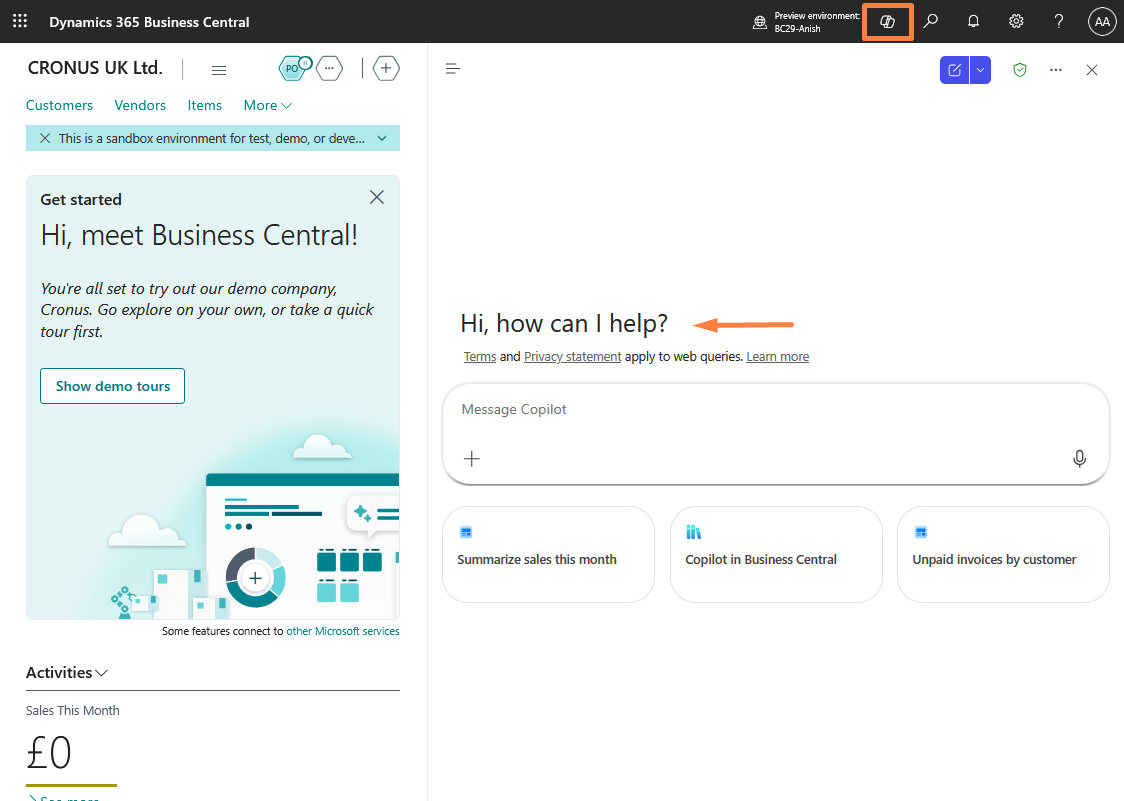
Sign in to your Business Central environment and choose the new Copilot icon in the app bar.
You will then see an interface identical to Microsoft 365 Copilot.
Why Is This Important?
Think about how users traditionally work with Business Central.
They navigate pages, search for records, run reports, and manually analyse information.
With the new Copilot experience, the interaction becomes much simpler:
Ask → Understand → Analyse → Act
For example:
“Show me customers with overdue balances and help me understand the biggest risks.”
Instead of navigating through multiple pages, users can start with a question and let Copilot help them explore the information.
Supports the following capabilities:
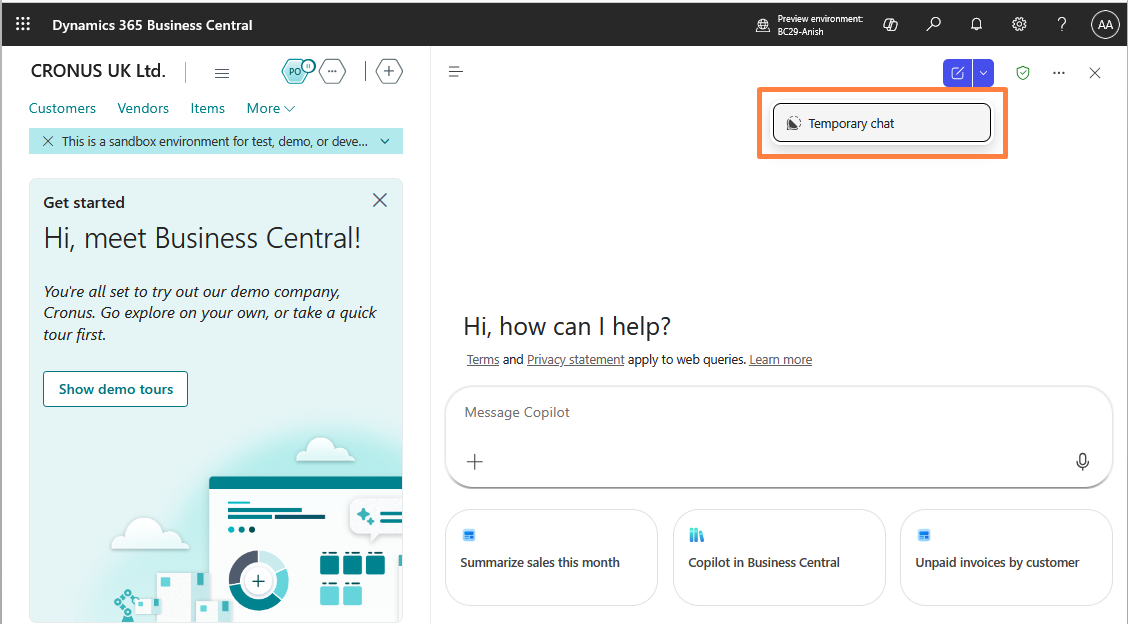
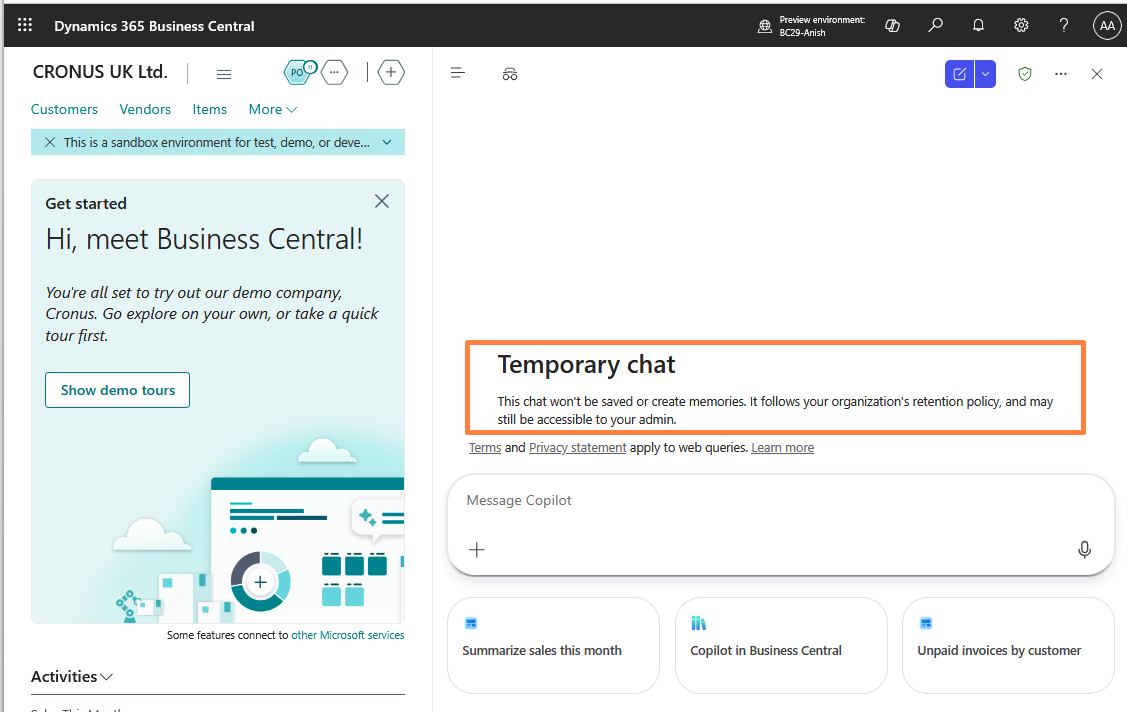
- Temporary chat: This chat won’t be saved or create memories. It follows your organization’s retention policy, and may still be accessible to your admin.
2. Switch AI Model
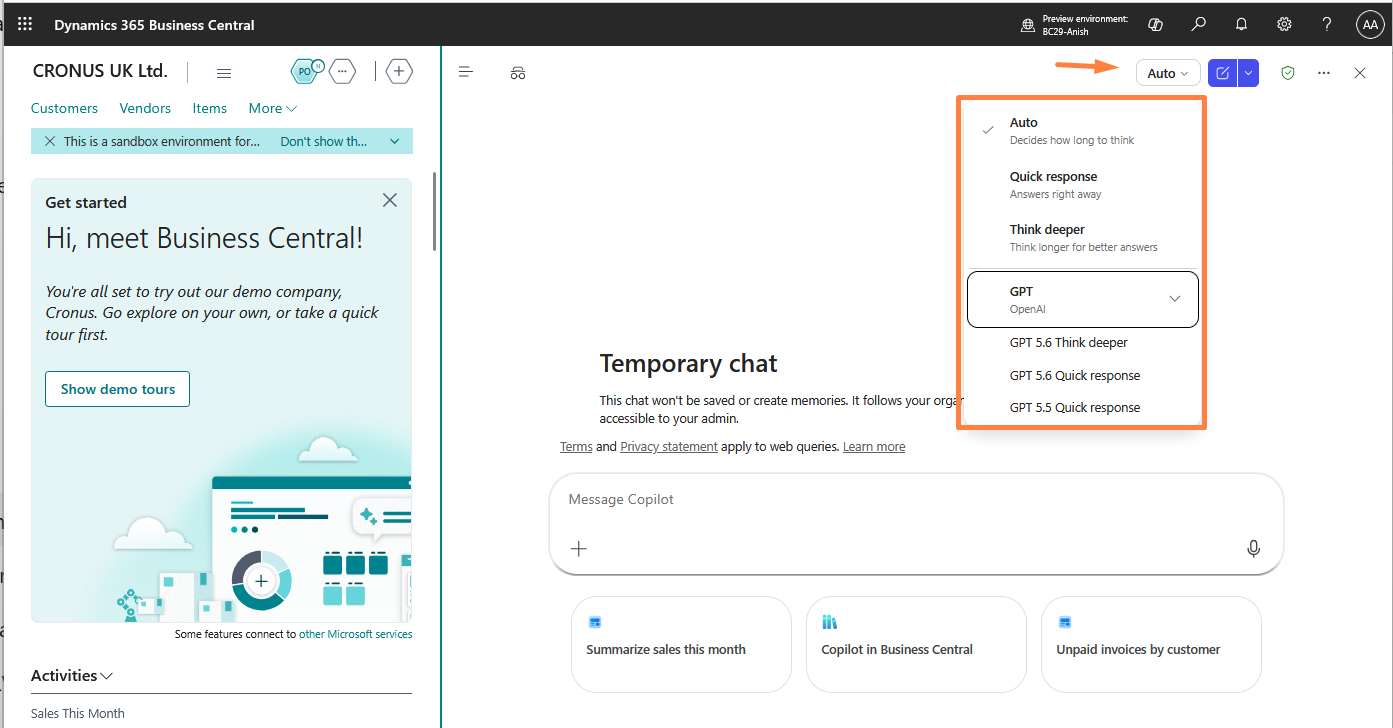
3. Agent Mode (with Agent Store and Create Agent features).
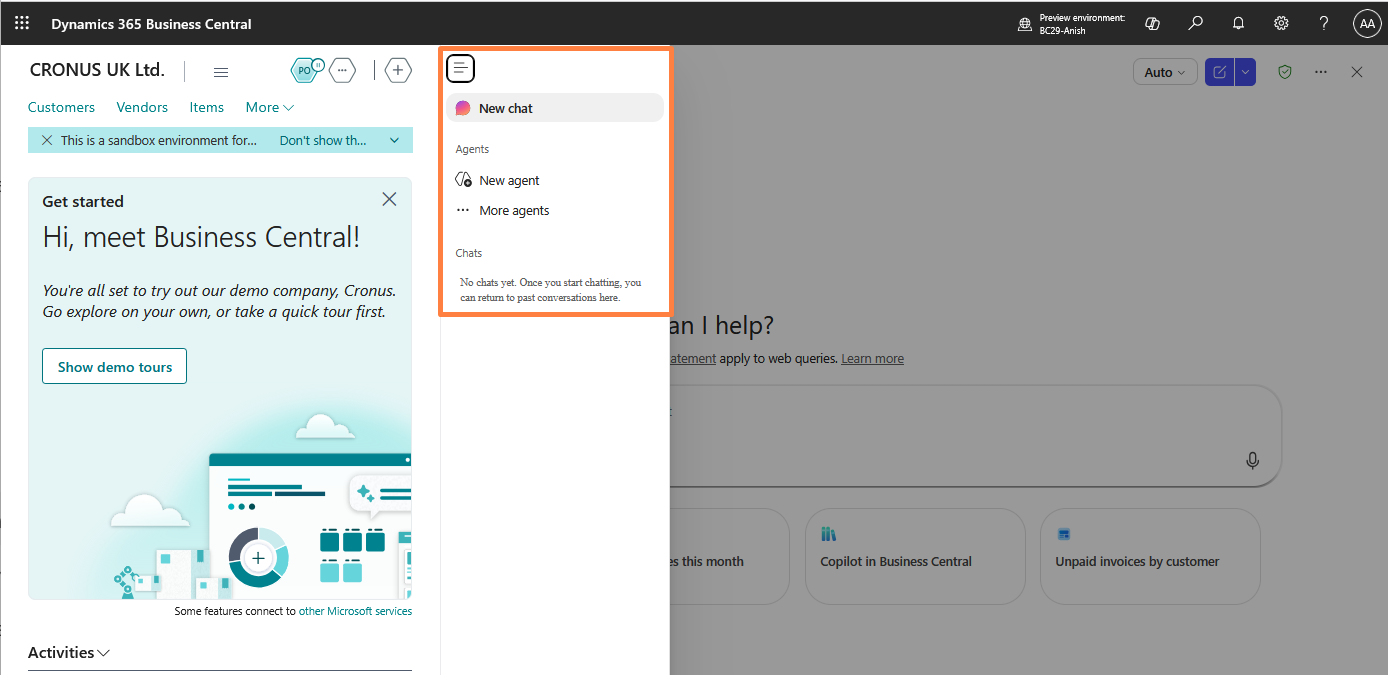
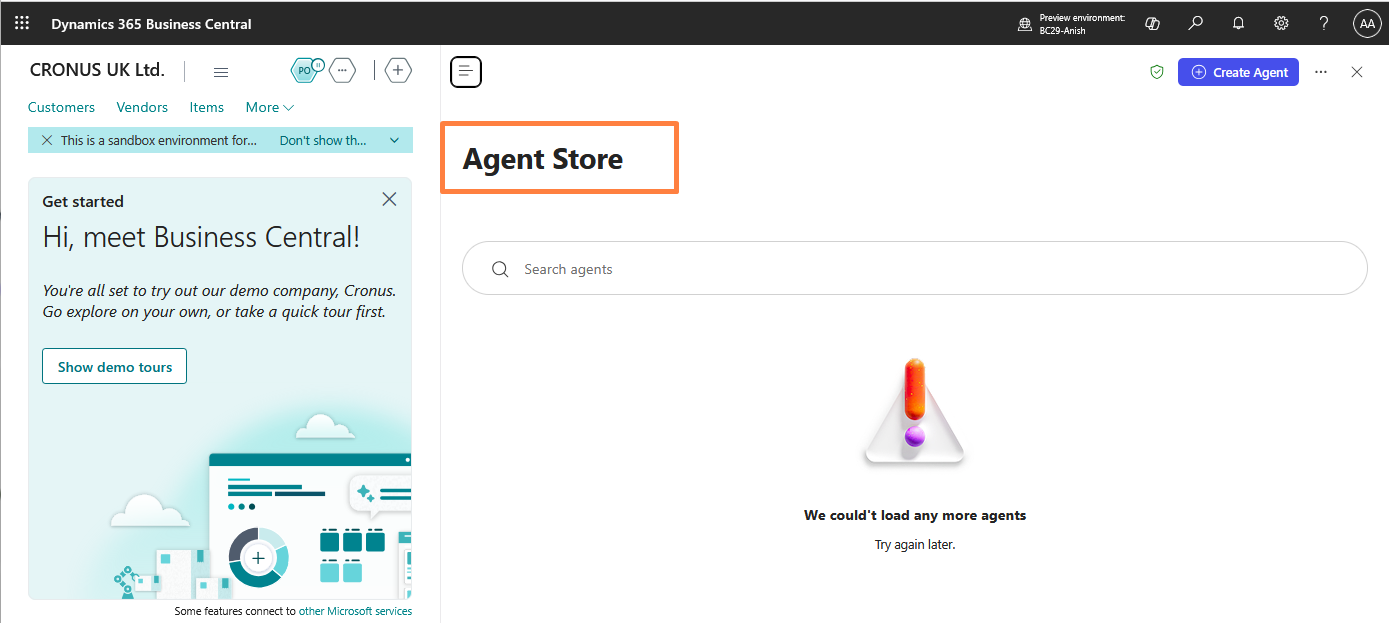
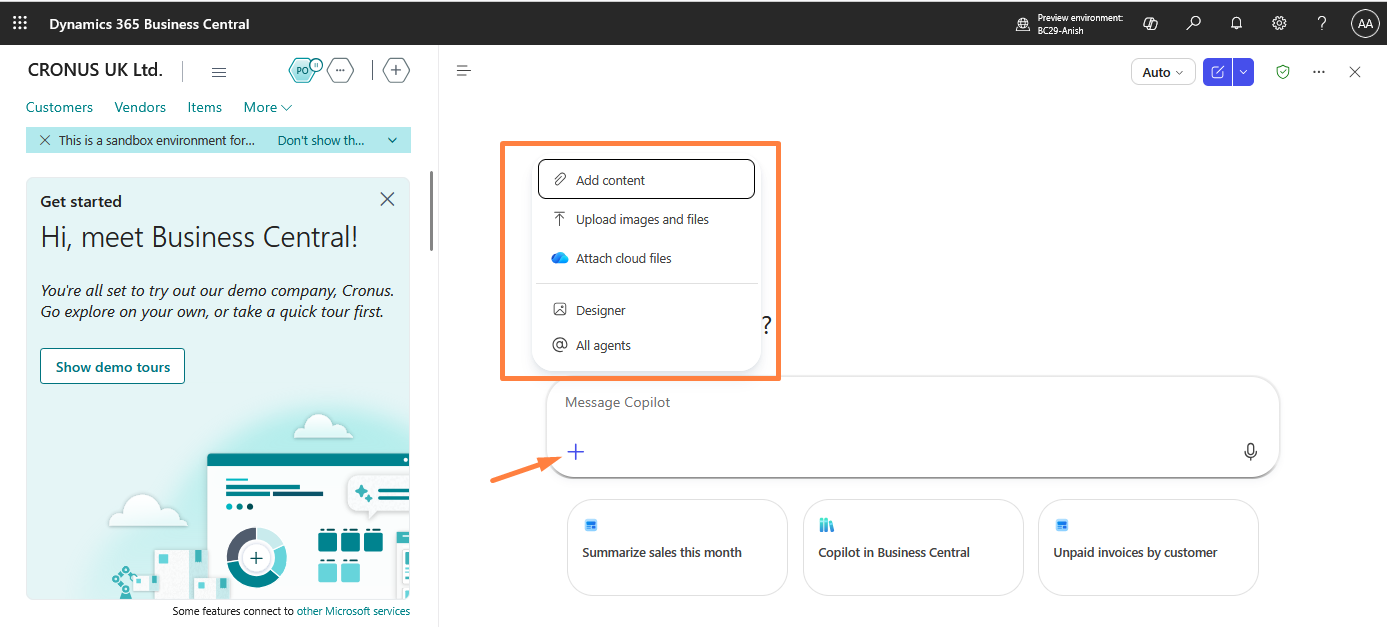
4. Attachments – upload images and files.
The Bigger Opportunity: AI Agents
The most exciting part isn’t just the new chat interface.
Microsoft is continuing to move Business Central towards AI agents that can work with business data and help execute business processes.
Imagine:
Email → AI understands request → Creates document → Validates data → Sends for approval
This is where Business Central is heading—from AI-assisted conversations to AI-assisted business processes.
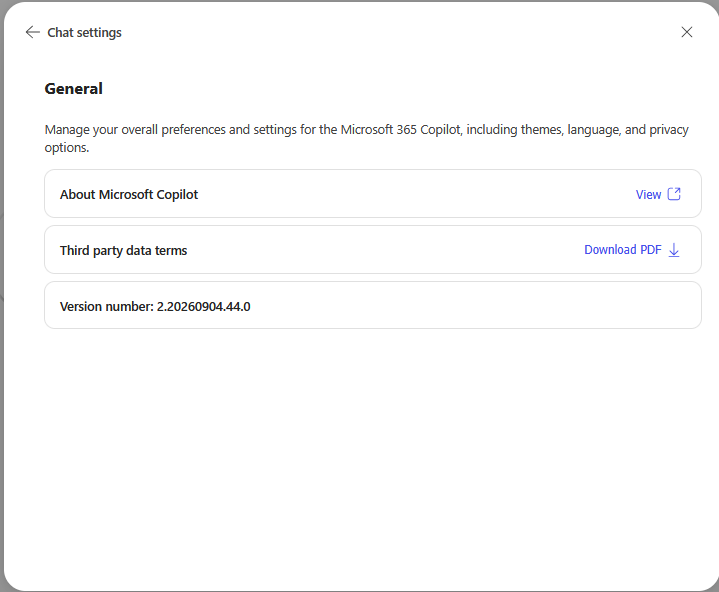
Note: Because it directly leverages Microsoft 365 Copilot, the version stays consistent with it.
I hope this will help and stay connected with me on LinkedIn and YouTube for more Business Central insights!