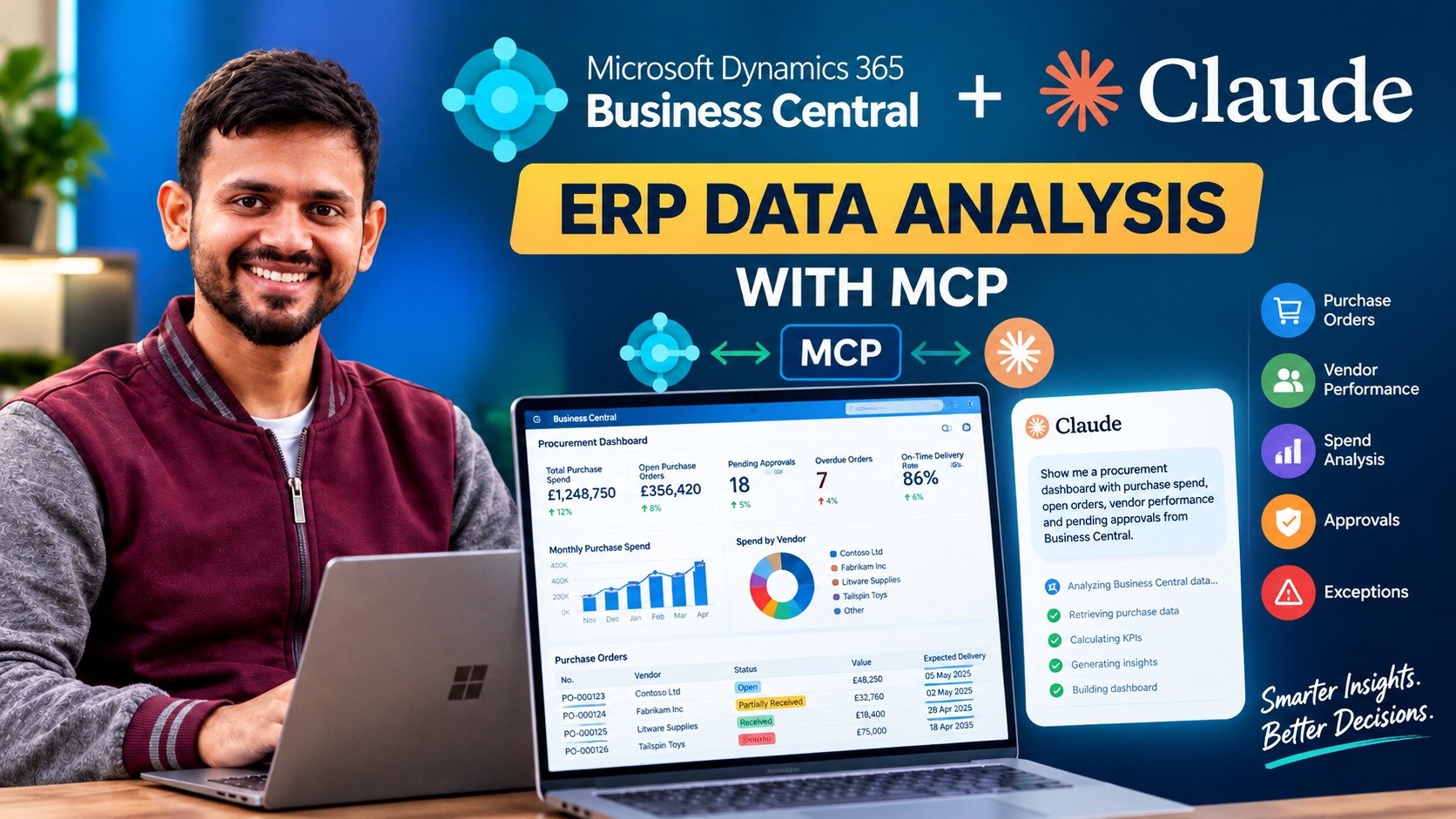
Can you analyse your Business Central ERP data using Claude AI without writing code for every report? In this demonstration, we explore how the Model Context Protocol (MCP) can connect Claude AI with Microsoft Dynamics 365 Business Central and help turn ERP data into useful business insights.
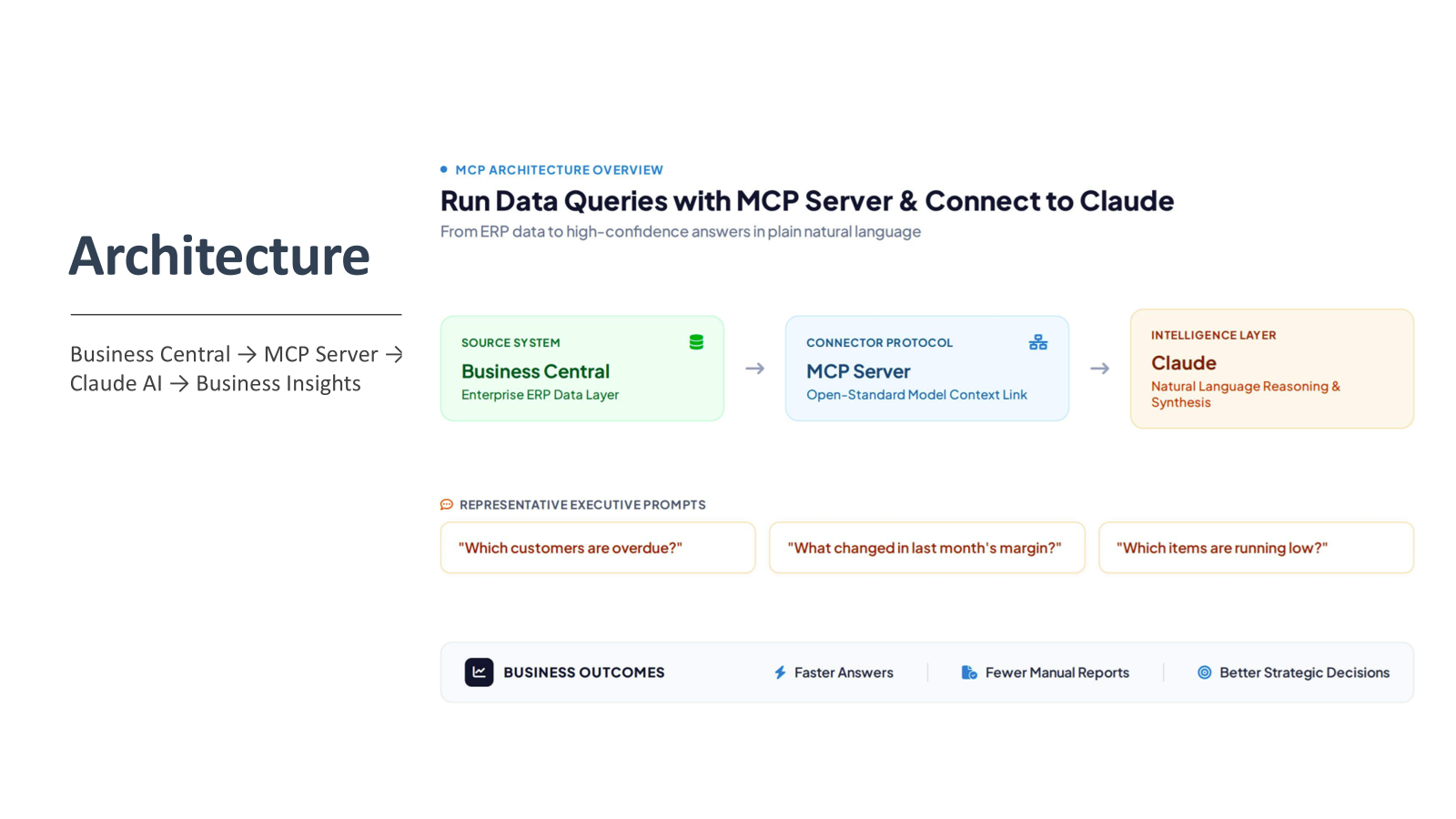
Architecture flow
Watch the video demonstration:
What Is MCP, and Why Does It Matter for Business Central?
he Model Context Protocol (MCP) is an open standard that enables AI applications to interact with external systems and tools through a defined interface.
For Microsoft Dynamics 365 Business Central, MCP can provide a way for an AI assistant such as Claude to access approved ERP data and perform supported operations through a configured MCP server.
Instead of navigating multiple pages, exporting data to Excel, and manually preparing reports, users can ask questions in natural language and let the AI assistant work with the information made available to it.
For example, a procurement manager might ask:
Which purchase orders are overdue?
Who are our top vendors by purchase spend?
Which vendors have the best delivery performance?
What invoices have price or quantity discrepancies?
Where can we identify potential cost savings?
The answers depend on the data and tools exposed by the MCP integration, but this approach opens up new possibilities for interacting with ERP systems.
The Demonstration: Building a Procurement Dashboard
For this demonstration, I used a natural-language prompt to request a modern, interactive procurement dashboard based on Microsoft Dynamics 365 Business Central data.
The goal was to bring purchasing performance, supplier information, spending trends, and outstanding actions into a single view.
1. Procurement KPI Cards
The dashboard starts with key performance indicators that help procurement managers understand the current situation at a glance.
These include:
Total Purchase Spend: Understand overall purchasing expenditure.
Open Purchase Order Value: Track the value of outstanding purchase orders.
Pending Requisitions: Monitor requisitions awaiting further processing.
Pending Approvals: Identify requests waiting for approval.
Overdue Purchase Orders: Highlight orders that have passed their expected delivery dates.
On-Time Delivery Rate: Measure supplier delivery performance.
These indicators provide a starting point for identifying issues and deciding where further investigation is required.
2. Purchase Order Tracking
Purchase order tracking is an important part of procurement management.
The dashboard includes information such as purchase order number, vendor, order status, order value, expected delivery date, received quantity, and outstanding quantity.
With this information, procurement teams can quickly identify orders that are still open, partially received, or overdue.
For example, a buyer can focus on purchase orders with outstanding quantities and past-due delivery dates rather than manually reviewing every order.
3. Vendor Performance Analysis
Supplier performance affects delivery reliability, purchasing costs, and operational efficiency.
The proposed dashboard includes vendor spend comparisons, delivery performance, and price variance analysis.
Procurement managers can use these insights to explore questions such as:
Which vendors account for the largest share of our spend?
Which suppliers consistently deliver on time?
Are there significant price differences for comparable purchases?
Which suppliers should we review during our next vendor evaluation?
The value comes from making supplier information easier to explore and compare, provided the required purchasing and vendor data is available.
4. Spend Analysis
Understanding where purchasing money goes is essential for controlling costs.
The dashboard includes monthly purchasing trends, spend by vendor, spend by category, and budget-versus-actual expenditure.
These views can help identify spending patterns, changes in purchasing activity, and categories that may require further investigation.
Budget comparisons require the relevant budget data to be available through the configured integration.
5. Approval Monitoring
Purchase requisitions and purchase orders can sometimes remain in approval workflows longer than expected.
An approval monitoring section helps identify pending requests, responsible approvers, and overdue approval tasks.
This gives procurement managers better visibility into potential bottlenecks and helps them follow up on delayed approvals.
6. Invoice Exceptions
Matching purchase invoices against purchase orders and receipts is another important procurement control.
The dashboard highlights exception categories such as:
Invoices awaiting matching.
Price discrepancies between invoices and purchase orders.
Quantity mismatches between invoiced and received quantities.
These exceptions can be prioritised for review before the relevant invoices proceed through the normal processing workflow.
7. Action Centre
One of the most useful dashboard concepts is an action centre that brings critical exceptions together.
Instead of requiring users to interpret every chart independently, it highlights items that may need immediate attention, including:
Overdue purchase orders.
Delayed deliveries.
Pending or overdue approvals.
Invoice matching exceptions.
Potential cost-saving opportunities.
This helps move the dashboard beyond reporting and towards action-oriented procurement management.
How Claude AI and MCP Work Together
The overall architecture can be understood through four components:
1. Microsoft Dynamics 365 Business Central
Business Central holds the ERP data, including vendors, purchase orders, receipts, invoices, and other relevant records.
2. MCP Server
The configured MCP server exposes approved tools and data access capabilities to the AI application. Authentication and permissions determine which resources are accessible.
3. Claude AI
Claude uses the available MCP tools to retrieve relevant information and interpret the results in response to the user’s request.
4. Dashboard or Visual Output
The AI-assisted workflow can present the retrieved information as summaries, tables, charts, or a dashboard, depending on the capabilities of the application and environment being used.
The important distinction is that MCP enables the connection; it does not automatically provide every Business Central dataset or generate a fully functional dashboard on its own.
Do You Need to Write Code?
For the dashboard request itself, you can describe the required KPIs, charts, tables, and filters using a natural-language prompt rather than manually coding every component.
However, no code needed for the prompt does not mean no technical setup is required.
The MCP connection must be configured, the appropriate Business Central data and tools must be available, and the AI application must be capable of producing the requested output. A production-ready solution may also require additional development, validation, and security controls.
This distinction is important for organisations considering AI-assisted ERP reporting.
Data Security Considerations
Connecting an AI assistant to ERP data requires careful consideration of data security.
Even if an MCP server is hosted in a particular region, that does not automatically guarantee that all information remains in that region. Data sent to an external AI service may be processed according to that provider’s infrastructure, contractual terms, and service configuration.
Before deploying such an integration, organisations should review:
Authentication and access permissions.
The exact Business Central data exposed through MCP.
The information sent to the AI model.
Data residency and processing commitments.
Logging, monitoring, and audit requirements.
Whether sensitive data can be excluded or masked.
Use least-privilege access and validate the solution with non-production or anonymised data before introducing sensitive financial or supplier information.
Final Thoughts
Connecting Claude AI with Microsoft Dynamics 365 Business Central through MCP demonstrates a different way of interacting with ERP data.
Rather than relying exclusively on predefined reports, users can describe the information they need and explore purchasing performance through natural-language questions.
A procurement dashboard is just one possible application. Similar approaches could support sales analysis, inventory monitoring, overdue receivables, and financial reporting, depending on the available data and integration capabilities.
The opportunity is not simply to connect an AI model to an ERP system. It is to make business information easier to access, understand, and act upon.
Have you experimented with MCP and AI assistants in Microsoft Dynamics 365 Business Central? Share your experience in the comments.
I hope this will help and stay connected with me on LinkedIn and YouTube for more Business Central insights!