Microsoft continues to push the boundaries of AI-powered ERP automation with the introduction and enhancement of the Payables Agent in Dynamics 365 Business Central 28 (2026 Release Wave 1).
For finance and accounting teams, invoice processing has traditionally been one of the most repetitive and time-consuming tasks. Business Central’s new Payables Agent aims to eliminate much of that manual effort by using AI and Copilot capabilities to automate vendor invoice processing, purchase order matching, and invoice registration.
In this blog, we’ll explore:
- What the Payables Agent is
- Key capabilities
- What’s new in Business Central 28
- Real business benefits
- Cost and licensing insights
- Why this is a major step toward autonomous ERP
What is the Payables Agent?
The Payables Agent is an AI-powered assistant built directly into Dynamics 365 Business Central that helps automate the Accounts Payable (AP) process.
It can:
Monitor vendor invoice emails
Extract invoice details using AI
Match invoices against purchase orders
Create purchase invoices automatically
Suggest accounting mappings
Route invoices for human review and approval
Microsoft describes the Payables Agent as a step toward “agentic ERP,” where intelligent AI agents perform repetitive operational tasks with human oversight
How the Payables Agent Works
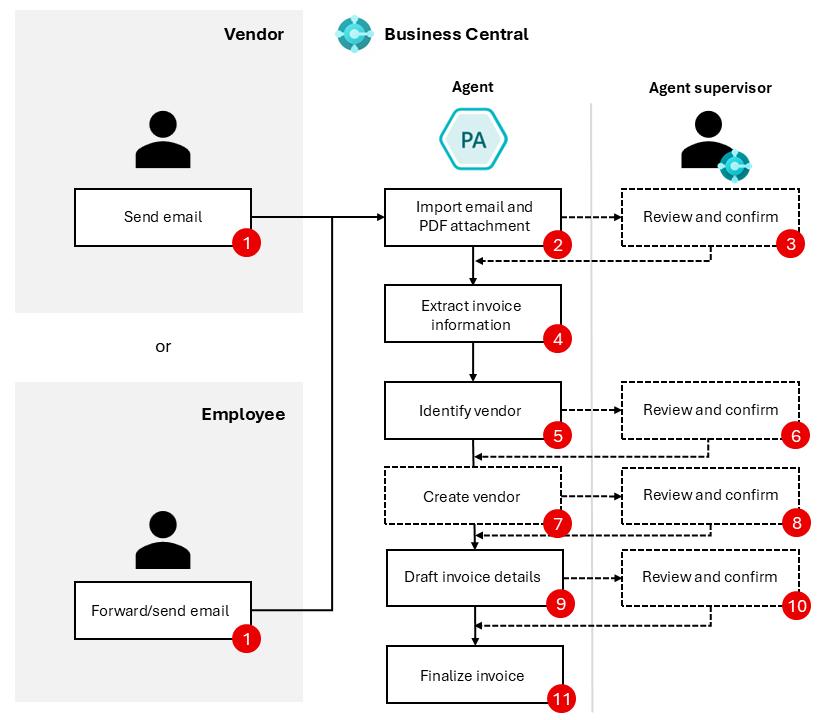
The Payables Agent continuously monitors configured mailboxes where vendors send invoices. Once an invoice is received:
The invoice PDF is analyzed using AI
Vendor information is identified
Purchase orders and receipt lines are matched
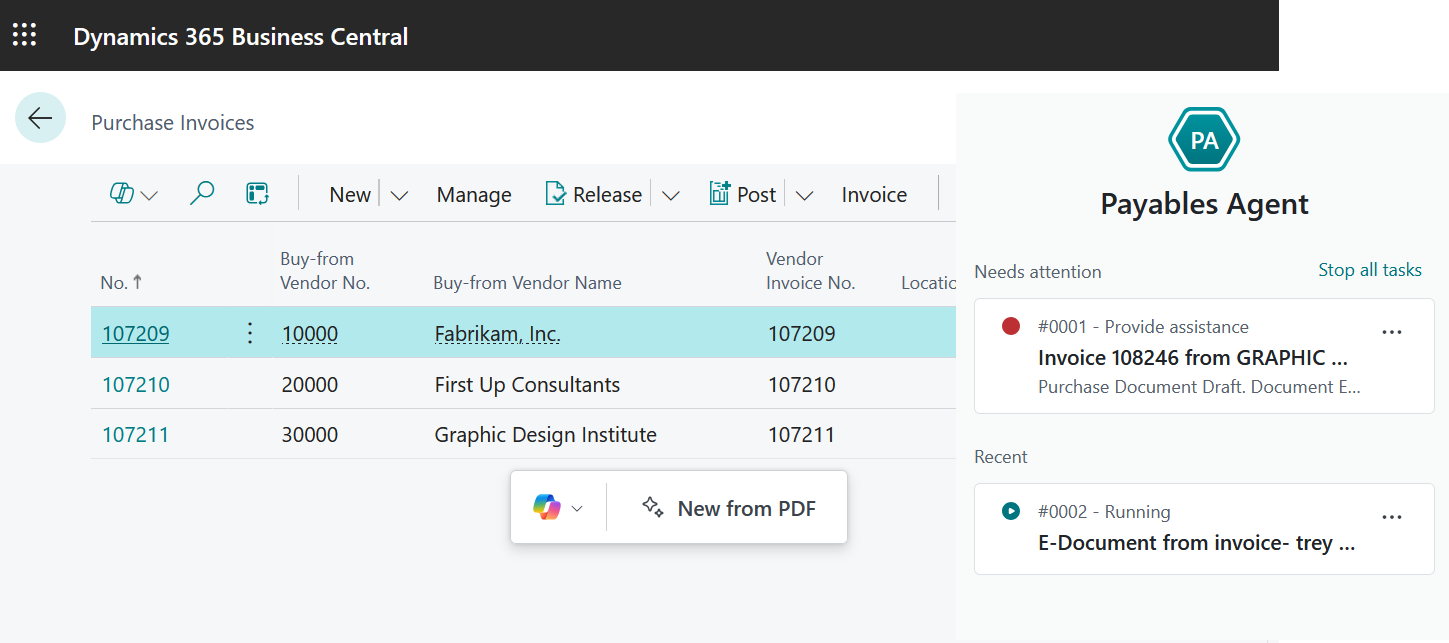
Purchase invoice drafts are created
Users review and approve the suggested invoice
The document is posted into Business Central
This significantly reduces manual data entry and improves processing speed.
Key Features of the Payables Agent
1. Automated Invoice Processing
The Payables Agent can automatically:
- Read invoice attachments
- Extract invoice metadata
- Identify vendors
- Create purchase invoice drafts
This reduces dependency on manual AP entry.
2. AI-Based Purchase Order Matching
One of the most impressive enhancements in Business Central 28 is improved PO matching intelligence.
The agent now supports:
- Smarter line matching
- Description-based matching
- Item reference recognition
- Better handling of invoice discrepancies
Microsoft has improved invoice-to-PO matching accuracy significantly in this release.
3. Works Even Without Email Configuration
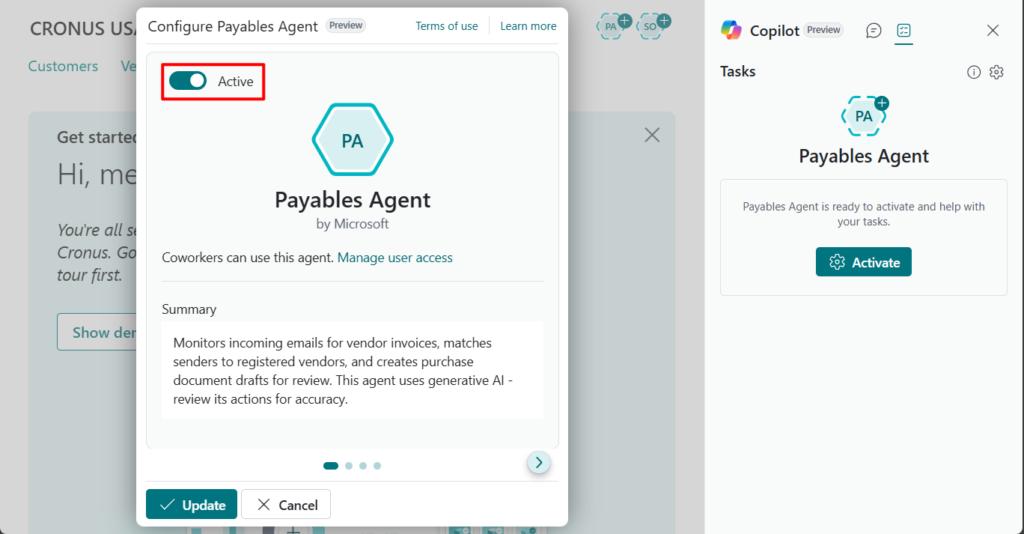
A major enhancement introduced in Business Central 28 is the ability to try the Payables Agent without configuring an email account first.
This makes testing and adoption much easier for organizations evaluating the feature.
According to Microsoft’s release plan, users can now:
- Discover and activate the agent more easily
- Try agent capabilities quickly
- Reduce setup complexity during onboarding
What’s New in Business Central 28 (2026 Release Wave 1)
Business Central 28 introduces several important enhancements to the Payables Agent.
Easier Agent Discovery and Activation
The Payables Agent can now be:
- Discovered directly in Business Central
- Activated by administrators
- Tested without extensive setup
This lowers the barrier to entry for customers exploring AI automation.
Enhanced Purchase Order Matching
The AI matching engine has improved significantly.
Enhancements include:
- Better description matching
- More accurate line recognition
- Improved handling of vendor invoice variations
- Better support for non-standard invoice layouts
This reduces the number of manual corrections required by AP teams.
PDF Viewer Support in More Pages
Users can now preview invoice PDFs directly in more invoice-related pages, improving review efficiency and reducing navigation time.
Team Collaboration Enhancements
Business Central 28 improves how multiple users interact with the Payables Agent.
Finance teams can:
- Collaborate more efficiently
- Review invoice drafts together
- Manage approvals with better visibility
This makes the solution more scalable for larger AP departments.
Discover Processed Emails in the Mailbox
Another useful enhancement in Business Central 28 is the ability to identify emails already processed by the Payables Agent.
This helps organizations:
- Avoid duplicate invoice processing
- Track processed vendor emails
- Improve AP audit visibility
- Manage mailbox workflows more efficiently
Microsoft introduced this enhancement to improve transparency and operational control within AP processes.
You can read the official Microsoft release note here:
Discover emails in mailbox that have been processed by Payables Agent
Cost of Using the Payables Agent
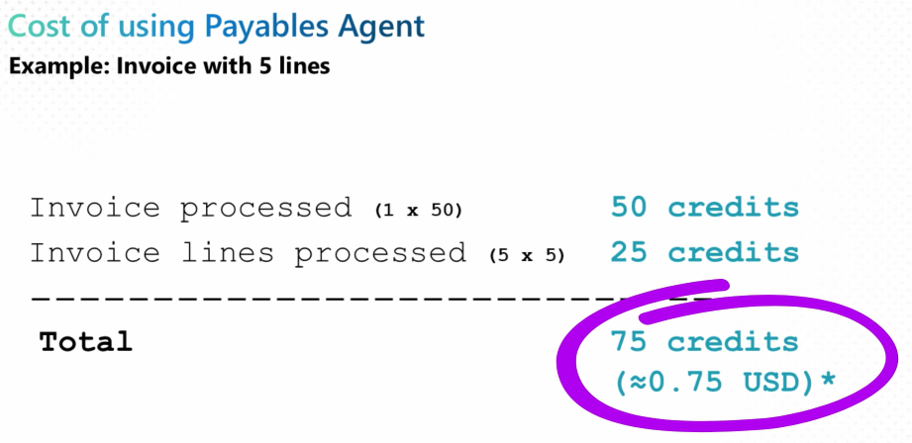
Microsoft has introduced a credit-based AI consumption model for agents.
Based on Microsoft’s examples:
- Invoice processed = 50 credits
- Invoice line processed = 5 credits per line
Example:
- 1 invoice with 5 lines
- Total consumption = 75 credits
- Approximate cost = ~$0.75 USD
This pricing model allows businesses to scale AI automation based on actual usage.
Why This Matters for Business Central Customers
The Payables Agent represents a major shift in how ERP systems operate.
Instead of users manually entering every transaction, Business Central is evolving into an intelligent ERP platform where:
AI performs operational work
Humans supervise exceptions
Finance teams focus on analysis and decision-making
This aligns with Microsoft’s broader vision of autonomous agents across Dynamics 365.
Useful Microsoft Resources
Final Thoughts
The Payables Agent in Dynamics 365 Business Central 28 is one of the most exciting AI innovations introduced by Microsoft for finance operations.
With:
Smarter invoice automation
Better purchase order matching
Easier onboarding
Improved collaboration
AI-powered processing
Business Central is rapidly becoming a truly intelligent ERP platform.
Organizations looking to modernize their AP processes should definitely explore the Payables Agent as part of their Business Central AI strategy.